
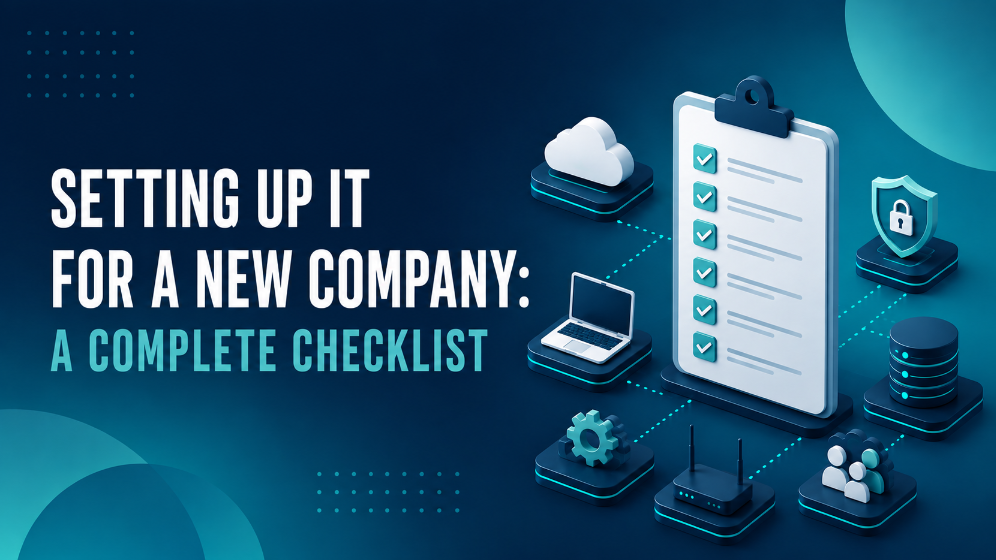
Setting up IT for a new company means putting the right digital foundation in place before the business starts operating: email and identity, devices, network, security, collaboration tools, and a support model. A structured approach prevents costly rework later, because decisions made in the first weeks – which platform to build on, how to secure accounts, where files live – are difficult and expensive to change once staff are working every day. This checklist walks through each area in the order a new business should tackle it.
What Does Setting Up IT for a New Company Involve?
IT setup for a new company is the process of selecting, configuring, and securing the core technology a business needs to operate, from user accounts and devices to network, data protection, and communication tools.
A structured IT setup is used when a company is starting out, merging, or relocating, and wants a stable, secure environment from day one rather than a patchwork assembled under time pressure. Because everything connects – identity, devices, files, and security – it works best when planned as a whole instead of piece by piece.
Which Foundation Should You Put in Place First?
Every other decision builds on the foundation, so start here. First, register a domain name that matches your business name, because it anchors both your website and your professional email addresses. Then choose a core productivity platform such as Microsoft 365, which combines email, file storage, and collaboration tools under one identity.
The foundation checklist covers:
- Domain name: Register the domain that will carry your website and email
- Productivity platform: Select a suite such as Microsoft 365 and choose licences that match each role
- Professional email: Set up mailboxes on your own domain rather than a generic free address
- User accounts and identity: Create an account per employee, which becomes the single identity they use across every tool
How Do You Set Up Devices and Endpoints?
Once identities exist, employees need devices to work on. Rather than configuring each laptop by hand, a new company should adopt endpoint management from the start, so devices are set up consistently and can be secured centrally.
Endpoint management is the practice of configuring, securing, and monitoring all company devices from one central system. It lets you enforce security settings, push updates, and remotely wipe a lost or stolen device.
The device checklist includes:
- Standardised hardware: Choose consistent laptop and device models to simplify support and replacement
- Central enrolment: Enrol every device in an endpoint management system before handing it to staff
- Baseline configuration: Apply the same security settings, apps, and updates to every device automatically
- Endpoint protection: Install antivirus and threat-detection software on each machine
What Does the Network and Connectivity Setup Require?
A reliable network keeps everything else running, so plan it before staff arrive. Start with a business-grade internet connection that has enough bandwidth for your team, and add a backup line if downtime would seriously disrupt the business. Next, secure the network with a firewall and separate your internal traffic from guest access.
The network checklist covers:
- Business internet: A stable connection with sufficient bandwidth, plus an optional failover line
- Firewall: A managed firewall to control incoming and outgoing traffic
- Professional wifi: Access points positioned for full coverage, based on the size of the space
- Network segmentation: A separate guest network that keeps visitors away from internal systems
How Do You Secure a New Company From the Start?
Security is far easier to build in now than to retrofit later, so treat it as part of the setup rather than an afterthought. The single most important step is multi-factor authentication on every account, because it blocks the vast majority of account-takeover attempts even if a password leaks.
The security checklist includes:
- Multi-factor authentication (MFA): Require a second verification step on every login
- Access management: Give each employee access only to what their role needs
- Backups: Set up reliable backups of your data, including cloud data such as Microsoft 365, and test that recovery works
- Update and patch policy: Keep operating systems and software current so known vulnerabilities are closed quickly
- Security awareness: Train staff early to recognise phishing and suspicious requests
Which Collaboration and File Storage Tools Do You Need?
Once the basics are secure, set up where and how your team will work together. Decide early where files live, because scattered storage across personal drives becomes hard to manage as the company grows. A platform such as Microsoft 365 provides structured options for this.
The collaboration checklist covers:
- Central file storage: Use SharePoint for shared company and team documents rather than personal folders
- Personal storage: Use OneDrive for individual work files and drafts before they are shared
- Team communication: Set up Microsoft Teams for chat, meetings, and file sharing in one place
- Clear structure: Agree on naming and folder conventions from the start to keep the environment tidy
Where Should a New Company Host Its Cloud Infrastructure?
Beyond email and file storage, most new companies also need somewhere to run servers, applications, and business data. Here the key decision is not only public versus private cloud, but where that data physically lives and who can access it. For a Belgian business, hosting infrastructure in Belgium keeps data under EU jurisdiction and simplifies GDPR and NIS2 compliance from day one.
Cloud hosting is the practice of running your servers, applications, and data on managed infrastructure instead of on hardware in your own office. The main options are:
- Public cloud: Rent computing resources from a large provider such as Microsoft Azure, which scales instantly and needs no upfront hardware investment
- Private cloud: Run dedicated infrastructure – often in a Belgian datacenter – which gives predictable costs, full control, and guaranteed data sovereignty for stable, always-on workloads
- Hybrid cloud: Combine both, keeping core data on private infrastructure while using public cloud for workloads that benefit from instant scaling
For a new company, the right choice depends on budget, workload, and how sensitive the data is. A practical approach hosts business-critical data on Belgian infrastructure for sovereignty and predictable cost, while using public cloud where flexibility matters most. An IT partner that operates its own Belgian datacenters can host, secure, monitor, and manage this environment, so the data never leaves the country and the company avoids surprise egress bills.
How Do You Handle Business Telephony?
A new company also needs a way to make and receive calls professionally. Instead of installing traditional phone lines and hardware, most new businesses now choose cloud telephony, which routes calls over the internet and lets employees stay reachable from anywhere.
Cloud telephony is a phone system that runs over your internet connection instead of dedicated phone lines. Options include Microsoft Teams Calling, which adds calling to the platform your team already uses, and 3CX, a flexible system with more configuration control.
What Compliance and Policy Steps Should You Take?
Finally, put the ground rules in place before problems arise. Because the business will handle personal data, it must comply with the GDPR from the outset. Clear internal policies also help staff understand what is expected of them.
The compliance checklist includes:
- GDPR compliance: Understand what personal data you process and secure it appropriately
- Data processing agreements: Sign an agreement with every supplier that handles data on your behalf
- Acceptable use and password policies: Set clear rules for how staff use company devices and accounts
- Access reviews: Plan to review who has access to what as the company grows and roles change
When Should You Involve an IT Partner?
Starting a company is demanding enough without also becoming your own IT department. That is exactly where a managed IT partner earns its place. Instead of piecing together identity, devices, network, security, and cloud on your own, you hand the whole foundation to a team that sets it up correctly the first time and then keeps it running.
A good partner does three things especially well. First, it designs the environment as a whole, so identity, devices, network, and security actually work together instead of clashing. Second, it secures everything from day one – MFA, backups, endpoint protection, and clear access rules – rather than leaving gaps to fix after the first incident. Third, it takes ongoing management, monitoring, and support off your plate, so a single dedicated contact handles the technology while you focus on building the business.
The real value shows up later: when the company grows, adds staff, or opens a second location, a partner that already knows your setup scales it smoothly instead of starting from scratch. For a new business, that turns IT from a recurring worry into a quiet, dependable foundation.
FAQ
What is the first thing to set up when starting a company’s IT?
Start with the foundation: register a domain name, choose a productivity platform such as Microsoft 365, and create a user account and professional email address for each employee. Every other tool builds on this identity.
Why is multi-factor authentication so important for a new business?
Multi-factor authentication adds a second verification step to every login, so an attacker cannot access an account with a stolen password alone. It blocks the large majority of account-takeover attempts and is one of the simplest, most effective security measures to set up.
Do new companies still need backups if they use Microsoft 365?
Yes. Microsoft keeps the platform available but retains data only for a limited period, and recovery remains the customer’s responsibility. A dedicated backup protects against accidental deletion, ransomware, and data loss beyond that window.
Where should a new company host its cloud infrastructure?
For a Belgian business, hosting infrastructure in Belgium keeps data under EU jurisdiction and simplifies GDPR and NIS2 compliance. Public cloud such as Microsoft Azure scales instantly with no upfront hardware, private cloud in a Belgian datacenter gives predictable costs and guaranteed data sovereignty, and a hybrid approach combines both. The right mix depends on budget, workload, and how sensitive the data is.
Should a new company use cloud telephony or traditional phone lines?
Most new companies choose cloud telephony because it runs over the internet, needs no physical phone lines, and lets employees make and receive calls from any location. Microsoft Teams Calling and 3CX are two common options.
Is it worth involving an IT partner to set up a new company?
For many businesses, yes. An IT partner configures identity, devices, network, and security to work together correctly from the start, which prevents costly rework later and lets the founders focus on running the business.