
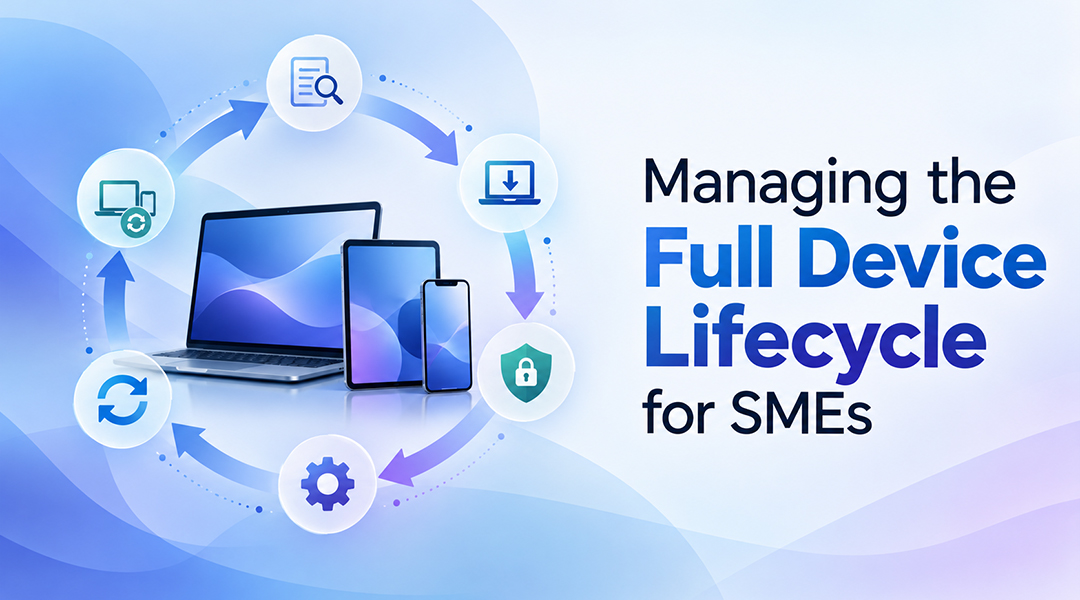
Managing the full device lifecycle for SMEs means treating every laptop, Mac and smartphone as a managed asset, not a one-time hardware purchase.
Many SMEs still buy a laptop, install what the new employee needs, and only think about it again when it breaks. That works with five devices. It quietly fails with fifty, when every machine is set up slightly differently, updates fall behind, and nobody is sure which devices still hold company data.
The better approach is to agree on a standard setup before buying anything. Every new device should arrive secure and set up the same way, and the whole fleet should be looked after from one place. Devices should be linked to people joining and leaving, personal phones handled differently, and laptops replaced on a schedule rather than when they die.
What is device lifecycle management?
Device lifecycle management simply means having one consistent way of handling business devices, from planning and setup through to replacement. Instead of treating each laptop as a separate job, the same process is followed every time.
For most SMEs, that process looks like this:
- Plan: know which devices you have and what people need.
- Set up: prepare new devices the same way every time.
- Secure: protect devices before anyone starts using them.
- Manage: look after settings and apps from one place.
- Update: keep software and devices up to date.
- Join and leave: sort out devices when people start or leave.
- Replace: swap old hardware on a schedule, then start again.
It’s a loop rather than a straight line. A replacement laptop goes through exactly the same setup as every other device.
1. Device lifecycle management starts before the device reaches the employee
It’s tempting to start by ordering laptops. It’s better to start with a clear picture of what you already have.
Before buying or replacing anything, it helps to know:
- which devices you already have, and how old they are
- who needs what kind of device (a designer and a salesperson rarely need the same thing)
- which software each team can’t work without
- which security or legal requirements apply to your business
With that picture, a few standard setups can be defined instead of treating every laptop as a one-off. That makes everything after this easier.
2. Standardise device deployment
Setting up laptops by hand takes time, and no two end up quite the same. One is properly protected, another isn’t. One has all the right apps, another is missing half of them.
The better way is to make setup automatic and repeatable. With Microsoft Intune, Microsoft’s tool for managing company devices, every laptop gets the same settings and the same apps without anyone setting them up by hand. No more configuring laptops one at a time.
3. Build security into the device from day one
Security works best when it’s part of the setup, not something added later. A laptop that’s been used for months without proper protection is much harder to bring back in line.
A good security setup makes sure that:
- the data on a laptop stays protected if it’s lost or stolen
- every device has its own unique admin password, instead of one shared across the office
- signing in is safer and quicker, for example with a fingerprint or face recognition
- important activity is logged, so problems can be investigated
- files on the desktop and in documents are backed up to the cloud automatically
- only approved software can be installed
Settings alone won’t stop every threat, though. Every device also needs security software that watches for attacks such as ransomware and steps in when something looks wrong.
When all of this is in place before the laptop is handed over, nobody has to chase it afterwards.
4. Manage devices centrally throughout their working life
Once the laptop is with the employee, the job isn’t done. That’s when its working life begins.
The question shouldn’t be “is this laptop working?” but “are all our devices set up the way they should be?” With central management, settings, security and apps for every device are handled from one place. Need a new app on every sales laptop? It’s prepared once and rolled out to all of them.
This works for Macs and smartphones too, not just Windows laptops. If you have a mix of devices, one central view saves a lot of guesswork.
5. Keep devices and applications current
Out-of-date devices are one of the easiest ways in for attackers. In many small businesses, updates only happen when someone finally clicks “restart” after postponing it for a week.
That’s why updates should be handled centrally and automatically, so operating systems, drivers and apps don’t slowly fall behind. It should also be easy to see which devices are up to date and which aren’t.
6. Connect device management with employee onboarding and offboarding
People and devices come and go together, so it makes sense to handle them together. When they’re treated separately, new starters wait days for a working laptop, and people who’ve left can still reach company data weeks later.
When someone joins, things should happen in a logical order: their account is created, a device is assigned, the right settings and apps are installed, access to company data is set up, and then the laptop is handed over. Day one starts with a device that works and is already secure.
When someone leaves, it runs the other way round. Their account and access are removed, the device comes back, and company data is protected. Then the laptop can be reset and passed on to someone else through the usual setup.
Treating this as one process, instead of separate HR, IT and security tasks, is what stops things from slipping through the cracks.
7. Don’t manage personal phones like company devices
A company laptop and an employee’s own phone aren’t the same thing, so they shouldn’t be managed the same way.
| Company-owned device | Employee’s own phone | |
|---|---|---|
| What the company manages | The whole device: settings, apps and security | Only work apps and work data |
| Employee privacy | It’s a work device | Personal photos, apps and messages stay private |
| When someone leaves | The device is fully wiped and reused | Only the work data is removed |
This way, the business keeps its data safe and employees keep their privacy. That also makes people more willing to use their own phone for work.
8. Plan refreshes instead of waiting for hardware to fail
Replacing laptops only when they break leads to a mix of old and new devices, surprise costs and constant disruption. It also means older devices that are harder to protect stay in use much longer than they should.
A planned refresh starts with a look at all your devices. Which ones are getting old? Which ones can’t run Windows 11? Which teams would feel it most? Replacing ageing machines before they fail gives you a more consistent set of devices and a clear timeline you can budget for.
The new devices then go through the same standard setup as everything else. Before old hardware is retired, company data is wiped and the device is removed from your systems. It’s also worth thinking about what happens to it next, whether that’s recycling, resale or donation.
How ITAF helps SMEs manage the device lifecycle
At ITAF, we don’t just supply laptops. We take care of the whole device lifecycle for you, so every device is set up securely, managed centrally and supported for as long as it’s in use, from the first day right through to the day it’s replaced.
Our Modern Workplace service is built on Microsoft’s own tools for managing and securing company devices. In practice, we:
- Plan: look at your current devices, users and software, then propose a plan and put it in place.
- Set up and secure Windows laptops: with a standard security setup that covers encryption, safe sign-in, a unique admin password per device and automatic cloud backup of files.
- Manage Macs and smartphones: with the same central approach and security checks.
- Handle your apps: we prepare and roll out the software your teams need.
- Keep everything updated: using the update approach that fits your environment.
- Protect against threats: with SentinelOne security software on Windows, Mac and, where needed, Linux.
- Look after personal phones: we protect work data on employees’ own phones without managing the phone itself.
- Support joiners and leavers: with clear guidance for your team and documented processes for onboarding and offboarding.
- Replace devices: we assess your devices, source and set up new hardware, and keep supporting you afterwards.
No two businesses are the same, so we agree the exact scope with you up front.
Frequently asked questions
What is the device lifecycle for SMEs?
It’s everything that happens to a business device from start to finish: planning, setup, security, day-to-day management, updates, handling it when people join or leave, and finally replacing it. Treating all of that as one process keeps devices secure and costs predictable.
Why should SMEs manage devices as a lifecycle instead of a purchase?
Because most of the cost and risk comes after the laptop is bought. Setup time, security gaps, missed updates and support calls all add up. A lifecycle approach cuts down the manual work and protects your data when people come and go.
Do SMEs need Microsoft Intune for device lifecycle management?
If your business already uses Microsoft 365, Intune is usually the natural choice. It lets your IT partner manage Windows laptops, Macs and smartphones from one place, including security, settings and apps.
How should company phones and personal phones be managed?
Company phones can be fully managed, because they belong to the business. On personal phones, only the work apps and work data are protected, and everything else stays private. IT teams call these approaches MDM (mobile device management) and MAM (mobile application management).
How often should an SME replace its laptops?
There’s no magic number, but it should be planned rather than left until laptops fail. Checking your devices regularly shows which ones are ageing or can’t run current software, so replacements can be budgeted in advance.
Conclusion: treat every device as a lifecycle, not a purchase
Managing the full device lifecycle for SMEs isn’t complicated once there’s a clear routine: plan, set up, secure, manage, update, handle joiners and leavers, and replace. With those steps in place, fifty individual laptops start behaving like one well-run fleet.
Curious where your devices stand today? Get in touch with ITAF and we’ll show you what a managed device lifecycle could look like for your business.