Printing is still part of everyday business, even in cloud-first organisations. But the way companies manage printers has changed. Many Belgian SMEs no longer want to rely on traditional print servers, manual driver installation, and location-specific printer mapping. As organisations move further into Microsoft 365 and modern device management, printing also needs to fit the new workplace model. Cloud printing makes printer management simpler, more secure, and easier to support. For Belgian businesses, the important question is not only which printing technology to use, but who can manage the printer fleet as part of the wider IT environment.
Why Does Printer Management Become Complicated?
Printer problems are often repetitive and create friction for local and hybrid teams. In a single office with a few printers, this stays manageable. Across multiple sites – such as Brussels, Antwerp, or Ghent offices – hybrid workers, and centrally managed laptops, it becomes far more difficult. Traditional print setups often depend on infrastructure that many companies are actively trying to reduce.
- Infrastructure overhead: Print servers, local drivers, and manual configuration create extra work for IT teams
- Inconsistent user experience: Employees travelling between regional offices or working from home struggle with printer mapping
- Support strain: A high volume of recurring helpdesk tickets deals solely with resolving driver issues
What Is Cloud Printing and What Does It Change?
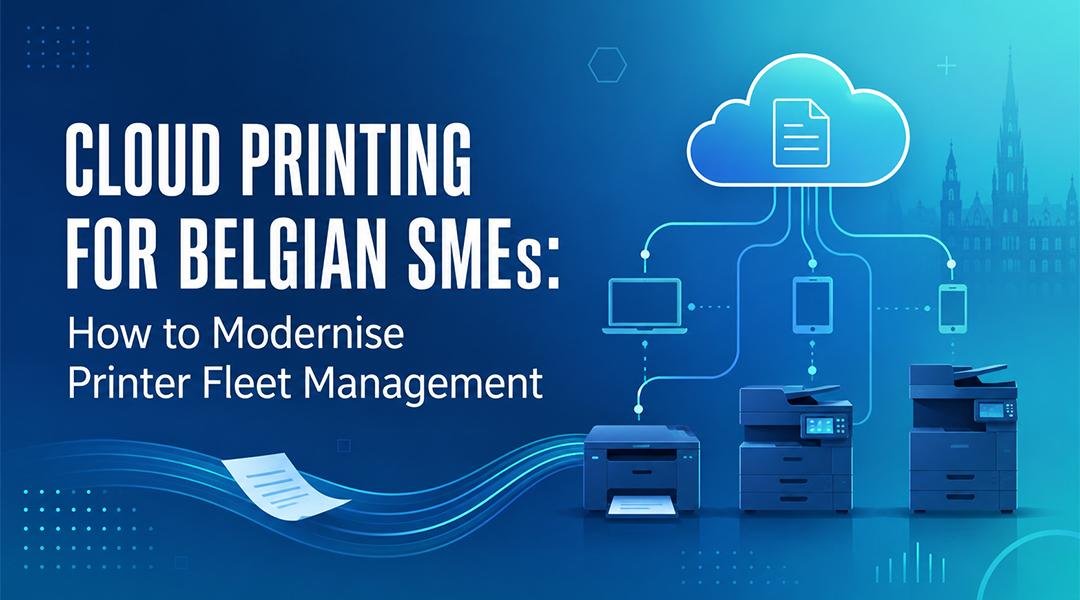
Cloud printing is a print management approach that routes print jobs through the cloud instead of relying only on local, on-premise infrastructure. As a result, printers can be managed centrally and connected directly to user identity and access rights.
For Microsoft-oriented environments, cloud printing supports a more modern approach in three ways:
- Centralised administration: Assign printers, manage access, and reduce dependency on traditional print server infrastructure from a single dashboard
- Identity integration: Tie printing privileges directly to Azure AD / Entra ID credentials
- Modern Workplace alignment: Integrate printing seamlessly into a broader hybrid work strategy
What Does Printer Fleet Management Really Involve?
Printer fleet management is more than connecting printers. You have to understand a fleet before you can modernise it, and the right approach depends on the actual business environment. Answering a few key questions clarifies that approach:
- How many printers exist across your Belgian and international sites?
- Which users need access to specific department or business-critical printers?
- Which existing printers are ready for cloud-based management, and which may need a transitional setup?
These questions matter because not every organisation should move everything in one step. Some companies gradually modernise printing while keeping certain existing elements. Others want to reduce print infrastructure as much as possible.
How Do Security and User Experience Fit Together?
Printing often involves sensitive business data, which makes compliance and access control top priorities for Belgian enterprises operating under strict privacy standards. Three principles keep printing both secure and usable:
- Access control and authentication: Employees should only see and use the printers relevant to them, which reduces uncontrolled or confusing printer access
- Secure release: Features like badge or PIN release ensure documents are not left unattended on a tray
- Simplicity: A printing solution that is secure but difficult to use creates more helpdesk tickets. A good setup makes the secure option the easy option
FAQ
What is cloud printing, and how does it benefit a Belgian SME?
Cloud printing routes print jobs from a user’s device through the cloud to the printer, eliminating the need for local print servers and manual driver installations. For Belgian SMEs, it simplifies IT management, cuts infrastructure costs, and allows hybrid employees to print securely from anywhere or any regional office.
Do we need to replace all our current printers to switch to cloud printing?
Not necessarily. While modern, cloud-native printers connect directly, many existing older models can still be integrated into a cloud print setup using secure edge software or hardware bridges. An IT partner can assess your current fleet to see which devices can be transitioned.
How does cloud printing support GDPR compliance for Belgian businesses?
Cloud printing enhances security through pull-printing, also called secure release. A document only prints when the user physically authenticates at the printer using a PIN, badge, or mobile app, which prevents confidential data from sitting exposed on the printer tray.
Can cloud printing handle complex setups like multi-site offices or guest printing?
Yes. Cloud printing allows IT administrators to centrally deploy printers to specific locations or user groups automatically. It also provides secure, isolated workflows so guests or contractors can print without gaining access to the primary corporate network.