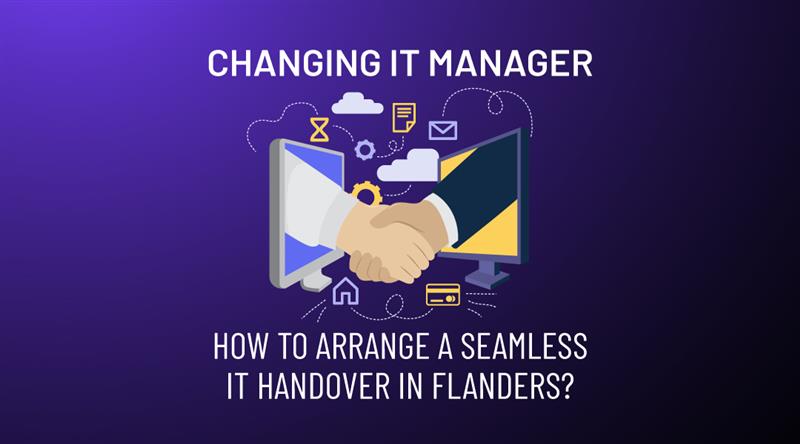
When the person responsible for your company’s IT moves on, you face a challenge that goes far beyond simply finding a replacement. Years of passwords, configurations, licences and unwritten conventions live in one person’s head – and if that person leaves without a proper handover plan, you will be confronted with risks you cannot yet anticipate. An IT handover is the systematic transfer of administrative access, infrastructure documentation, and operational knowledge from a departing IT lead to a successor or Managed Service Provider (MSP). This process is used when a company faces leadership transitions, such as retirement or resignation to ensure business continuity and data security.
This situation arises more often than you might think. The most common triggers are retirement (the most plannable scenario), resignation or a new job, unexpected departure due to illness or conflict, a company acquisition where the previous IT manager does not continue, or the decision to outsource IT for the first time and let an internal generalist move on to other responsibilities.
Retirement is one of the most frequent and most manageable reasons for an IT handover, because you usually have time to prepare. But whatever the cause, the steps for a safe and seamless handover are the same. This article walks you through them.
What is at stake in an IT handover?
IT infrastructure management is the oversight of all technical assets, including Microsoft 365 environments, local servers, and network security protocols. During a handover, this management must be transitioned to prevent unauthorized access and operational downtime.
Most business owners underestimate the complexity of an IT handover. It is not simply a matter of passing on a few passwords. A typical internal IT manager controls:
- All administrator accounts and passwords (servers, router, firewall, Microsoft 365, cloud platforms)
- The full licence history and vendor contracts (Microsoft, antivirus, backup provider)
- Network documentation: IP schemas, VLAN configurations, VPN settings
- Backup schedules and recovery instructions
- Vendor contacts and hardware warranty information
- Unwritten knowledge: which server must never be restarted without preparation, which user has a custom configuration
If this information is not transferred completely and on time, you risk being locked out of your own systems after the handover, unable to renew or cancel vendor contracts, and not knowing how to restore your systems in the event of a failure.
The 5 steps of a professional IT handover
A structured handover follows five phases. For a planned departure (retirement, resignation with notice), ideally start this process at least three months in advance. For an unplanned departure, these same steps apply just compressed into a shorter timeframe.
- IT inventory: create a complete list of all hardware, software, licences, accounts and contracts. This is the foundation for everything else.
- Password handover and access management: centralise all credentials in a secure password manager. Change all shared passwords immediately after the handover.
- Infrastructure documentation: record the network, servers and configurations in a management document. Even a simple document is better than nothing.
- Knowledge transfer: schedule phased handover sessions with your new IT partner. Allow the outgoing manager to remain available for questions for at least four weeks where possible.
- Test period and validation: after the handover, verify that all backups are working, all accounts have been transferred, and licences are linked to the correct account.
What does a managed IT partner take over?
A Managed Service Provider (MSP) is an external IT partner that proactively manages a company’s digital infrastructure, cybersecurity, and helpdesk support. An MSP is used when an internal IT manager departs to provide a scalable, “one-stop-shop” solution for SME IT needs.
A professional managed service provider (MSP) does not just take over technical tasks – it also introduces structure where your internal manager may never have had any. This is what ITAF typically takes over in an IT handover:
| Domain | What we take over and improve |
| Microsoft 365 environment | Management of users, licences, email configuration, Teams, SharePoint and security settings. Audit of current configuration and remediation of security gaps. |
| Servers and network | Inventory and documentation of all servers, network equipment and configurations. Patching, monitoring and proactive maintenance. |
| Backup and recovery | Review and optimisation of backup schedules. Introduction of an offsite backup if not already present. Monthly restore test. |
| Licences and contracts | Overview of all IT contracts and expiry dates. Negotiation or renegotiation where needed. No hidden costs. |
| Helpdesk for employees | Your employees can immediately reach our Belgian helpdesk for day-to-day questions and issues. |
How long does the transition period take?
The duration depends on the complexity of your IT environment and how much time you have. As a guideline:
- Simple environment (fewer than 20 users, Microsoft 365, no on-premises servers): 2 to 4 weeks
- Average environment (20–50 users, mix of cloud and local servers): 4 to 8 weeks
- Complex environment (50+ users, multiple servers, custom applications): 8 to 12 weeks
For a planned retirement or resignation with notice, three months gives you comfortable margin. For an unexpected departure- illness, sudden resignation, conflict, ITAF starts with an emergency audit within 48 hours: we map the critical systems, reset access credentials and ensure business continuity immediately. It is not an ideal situation, but it is entirely manageable with the right partner. An emergency IT audit is a rapid assessment of critical systems and access credentials performed within 48 hours of an unplanned IT departure. It is used to secure the perimeter and reset administrative passwords when no formal handover period is available.
This is also the moment to modernise your IT
An IT handover is not only a risk, it is also an opportunity. Many companies run the same infrastructure for years because their IT manager is comfortable with the existing setup. A new partner brings a fresh perspective and asks questions that were never raised internally:
- Why are we still running a physical server when Microsoft 365 can handle this entirely in the cloud?
- Are our backups genuinely reliable, or do we just assume they are working?
- Do our security settings meet what GDPR requires of us?
- Are we paying for licences we barely use?
ITAF carries out a free baseline audit with every handover. You will know exactly what is working well, what can be improved, and what needs urgent attention.
Checklist: what your new IT partner needs to know on day 1
- All administrator credentials and passwords (listed per system)
- Overview of all hardware with serial numbers and warranty information
- List of all software licences and subscriptions with expiry dates
- Network diagram or IP schema (even a rough version)
- Backup schedule and backup location
- Vendor contact list with contract numbers
- List of employees and their IT access rights
- Outstanding IT issues or planned upgrades
Frequently asked questions (Q&A)
My IT manager is retiring in two months. Is that enough time for a handover?
Two months is tight but feasible for an average SMB environment, provided you start immediately. Contact an IT partner within the week so that the inventory and documentation process can begin as soon as possible.
What if my IT manager leaves unexpectedly without a handover?
In that case ITAF carries out an emergency audit within 48 hours. We map the critical systems, reset access credentials and ensure business continuity. It is not an ideal situation, but it is manageable.
We are acquiring a company – how do we handle their IT handover?
A company acquisition is one of the most complex handover scenarios because the outgoing IT manager may be unwilling or unavailable to cooperate. ITAF has a specific Discovery & Cleanup methodology for acquisitions: we map the IT environment independently and build a remediation plan from scratch.
Can I combine a part-time managed service with a new internal employee?
Absolutely. Many companies choose a hybrid model: an internal IT coordinator for day-to-day matters, complemented by an MSP for security, backup, monitoring and more complex technical tasks.
What does it cost to take over a Microsoft 365 environment for 40 users?
Typical managed M365 support for 40 users costs between €300 and €600 per month, depending on the service level (reactive vs. proactive). The one-off handover and audit averages €1,500 to €3,000.
Do you also take over the relationship with Proximus or Telenet?
Yes. ITAF also manages your telecom contracts and connectivity. We act as the direct point of contact for Proximus, Telenet and other providers so you do not have to deal with them yourself.
How do you ensure your helpdesk helps our employees quickly?
Our helpdesk is physically based in Belgium and works in Dutch (and French and English for mixed environments). We operate with guaranteed response times: within 4 hours for standard issues, within 1 hour for critical failures.
Ready to arrange your IT handover?
Request a free intake meeting. We will discuss your situation, the timeline and what is needed for a seamless handover, no technical jargon, no obligations.
About ITAF
ITAF is an independent Belgian IT service provider specialising in managed services, cybersecurity, Microsoft 365 and cloud infrastructure for SMBs in Flanders and the Brussels periphery.
- Dutch and English-speaking team – on-site across Flanders and Brussels
- Microsoft Partner: certified for M365, Azure and Security