
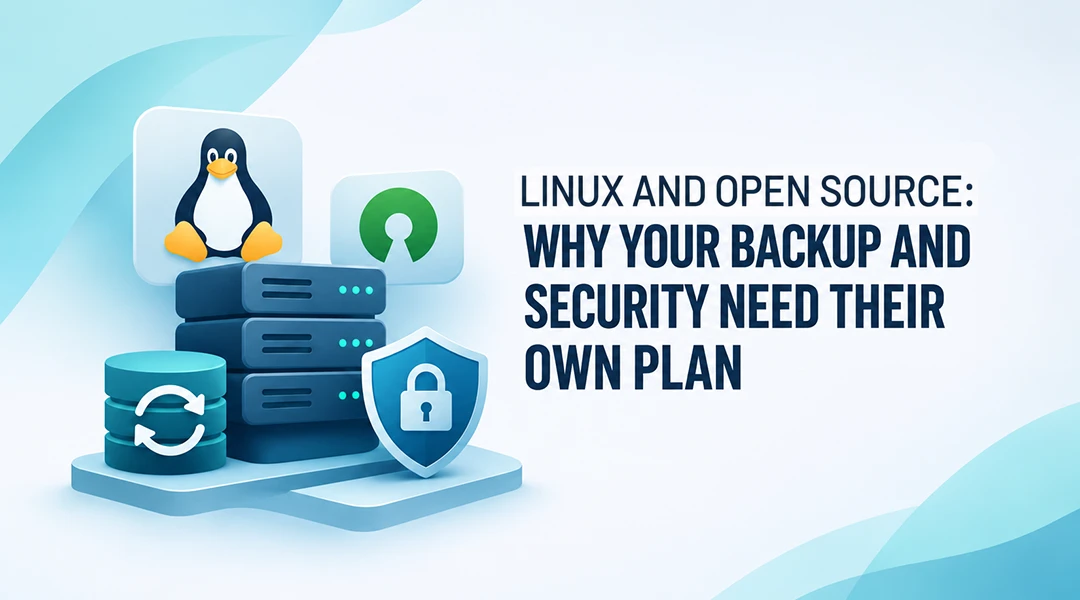
Linux servers run a growing share of business-critical work: web applications, databases, file servers, firewalls and container platforms. Yet in many organisations, the backup and security tooling around them was chosen with Windows in mind. The result is a blind spot exactly where some of your most important data lives.
In this post we look at why Linux and open-source environments need their own backup and security plan, what that plan should cover, and how to do it without locking yourself into a single vendor.
Why Linux needs its own approach
Most mainstream backup and endpoint security products started life on Windows. Linux support is often added later, with fewer features, an extra agent, or a separate licence. That gap shows up in three places:
- Different attack surface. Linux servers are usually exposed to the internet over SSH and web services. Brute-force logins, misconfigured services and unpatched packages are far more common entry points than the email attachments most security tools focus on.
- Different recovery needs. Restoring a Linux server is not just copying files back. You need the right packages, configuration, permissions, databases in a consistent state, and ideally a way to rebuild the whole machine (bare-metal recovery).
- Different skills. Hardening, patching and monitoring Linux takes people who work with it every day. Without them, Linux systems tend to drift: patches lag, logs go unread and backups are never test-restored.
Ransomware groups know this. Linux variants that target virtualisation hosts and file servers have become a standard part of their toolkit, so “it’s Linux, it’s safe” no longer holds.
Backup for Linux servers: what good looks like
A solid Linux backup strategy starts with the 3-2-1 rule: three copies of your data, on two different types of storage, with one copy off-site. On top of that, check that your setup covers these points:
- Application-consistent backups. Databases need to be backed up properly, not copied while data is still being written to them.
- Immutable or offline copies. At least one copy should be impossible to alter or delete for a set period, so ransomware cannot encrypt your backups along with your servers.
- Bare-metal recovery. If a server dies completely, restoring a few files won’t get you far. You’d first have to reinstall the system and set everything up again by hand. Bare-metal recovery brings back the whole server in one go, with its operating system, settings and data, so you’re up and running in hours instead of days.
- Know how fast you need to be back. For each system, decide upfront how long it can be down and how much data you could live without. Can your webshop be offline for half a day? Is losing a day of orders acceptable, or only fifteen minutes? The answers tell you how often to back up and where to keep those backups.
- Tested restores. A backup you have never restored is a hope, not a plan. Schedule restore tests and document the results.
- Know where your data lives. For GDPR and NIS2, it matters which country and which provider holds your backups. Storing them in a Belgian or EU datacenter keeps that question simple.
Securing Linux: four layers that matter
Security for Linux is less about one product and more about doing a few things consistently.
- Hardening. Disable unused services, enforce key-based SSH, restrict sudo and apply sensible firewall rules.
- Patch management. Most Linux breaches exploit known vulnerabilities. A predictable patch cycle, with routine updates automated, closes that door.
- Monitoring and detection. Collect logs centrally and watch for suspicious logins, privilege escalation and unexpected processes.
- Active protection. Analyse your logs, detect attacks such as brute-force attempts or web scans, and block the offending IP addresses automatically.
None of these layers needs to be expensive. What they do need is someone who configures them properly, keeps them up to date and follows up on alerts.
How ITAF helps
ITAF takes care of backup and security for your Linux and open-source environments, so your team can focus on the applications that run on them. We combine hands-on Linux expertise with open standards and keep your data in Belgium.
- Backup and recovery for Linux servers and databases, with off-site copies in a Belgian datacenter and regular restore tests.
- Hardening and patching based on recognised baselines, with a clear patch cycle and fast action on critical vulnerabilities.
- Monitoring and detection, with alerts followed up by people who know Linux.
- No lock-in. Open standards and open-source software mean your environment stays yours.
Frequently asked questions
Isn’t Linux secure by default?
Linux has a strong security model, but a default installation is not a secure installation. Open ports, weak SSH settings and missed updates are just as dangerous on Linux as on any other system. Security depends on how the server is set up and maintained, not only on the operating system.
Can’t we just use the same backup software we use for Windows?
Sometimes, but check what it actually supports. Many Windows-first products offer limited Linux features, need an extra agent or licence, or can’t do a full server restore. Make sure your solution handles databases properly and can bring back a complete Linux server, not just files.
How often should we back up our Linux servers?
That depends on how much data you can afford to lose. For a file server, one backup a day may be enough. For a webshop or a database with constant changes, you may need backups every hour or even more often. Decide this per system, based on what downtime and data loss would cost you.
How do we know our backups actually work?
By restoring them. Plan regular restore tests, for example once a quarter, and check that the restored system really runs. A backup you have never tested is a risk you only discover during an incident.
Why does it matter where our backups are stored?
Under GDPR and NIS2, you are responsible for knowing where your data is and who can access it. Backups stored with a non-European provider can fall under foreign laws. Keeping them in a Belgian or EU datacenter makes compliance much simpler.
We’re a small team without Linux specialists. Where do we start?
Start with the basics: make sure every Linux server is backed up off-site, test one restore, and check that security updates are being installed. From there, work on hardening and monitoring. If you don’t have the time or skills in-house, a partner can take this over for you.
Want to know how well your Linux servers are protected today? Contact us for a no-obligation check of your backup and security setup.