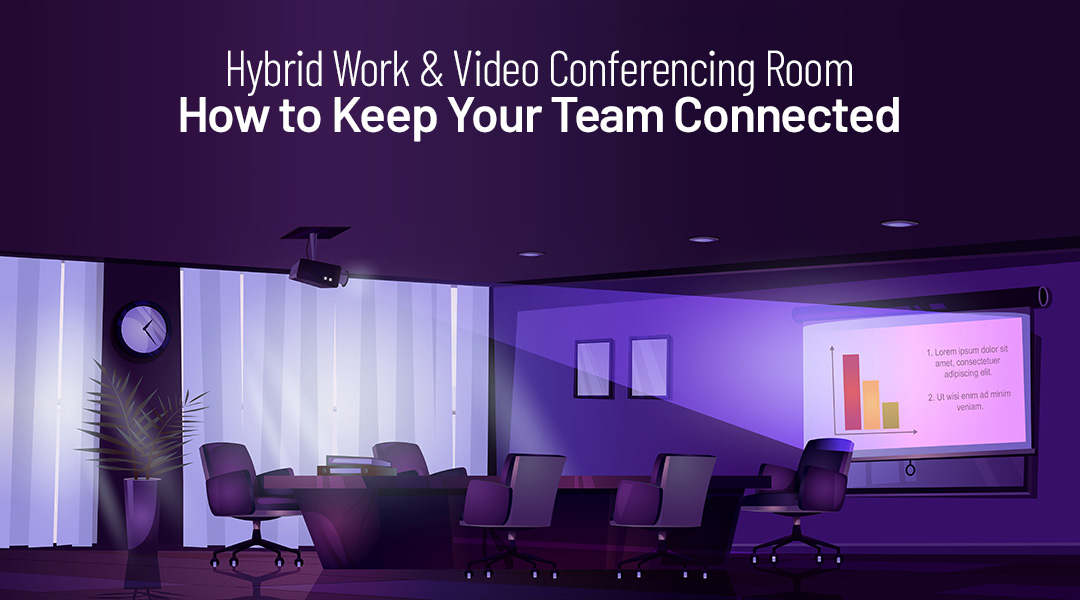
Video conferencing keeps hybrid teams connected by enabling real-time communication between employees working from different locations. It allows teams to collaborate, hold meetings, and share information without being physically present in the same office, which is essential in hybrid work environments.
At ITAF, we help businesses by providing end-to-end video conferencing solutions—from selecting the right hardware and software to installation and security.
Let’s break down why you need up-to-date video conferencing solutions, and which setup to choose depending on your needs.
What is hybrid work?
Hybrid work is a work model where employees divide their time between working in the office and working remotely.
Hybrid work is used when organisations want to combine on-site collaboration with the flexibility of remote work.
Why is video conferencing essential for hybrid work?
What problem does video conferencing solve?
In hybrid work setups, teams are no longer always in the same physical space. Video conferencing provides a shared communication channel that replaces in-person meetings.
Video conferencing is technology that enables live audio and video communication between participants in different locations.
It helps maintain alignment, collaboration, and regular contact between team members.
What Makes a Good Video Conferencing Setup?
A good video conferencing solution goes beyond just having a webcam. Businesses need reliable, high-quality tools that ensure smooth meetings without technical hiccups. Here’s what ITAF offers:
ITAF offers tailored video conferencing systems for rooms of all sizes. Depending on your needs, we provide:
Small Video Conferencing System
Perfect for smaller spaces, like huddle rooms or individual offices. This system typically includes a smaller screen, a camera, and a conference phone for up to 4-6 people. It’s ideal for smaller teams or quick, focused meetings.
ITAF’s setup includes a Poly X30 video bar with a TC8 controller, a 55″ Pro BRAVIA LCD display for clear visuals, and Microsoft Teams Rooms Pro for seamless integration. It also comes with a USB-C dock for easy connectivity and a 3-year service plan for support.
Medium Video Conferencing System
This setup works for slightly bigger rooms with 6-12 participants. It includes a larger screen, better audio, and more powerful video equipment, ensuring everyone can be seen and heard clearly, even if the room has more people. ITAF’s setup features the HP Poly X52 video bar and TC10 controller, with a 65″ Pro BRAVIA LCD for sharp visuals. It includes Microsoft Teams Rooms Pro for smooth collaboration, a USB-C dock, and a 3-year service plan to keep everything running efficiently.
Large Video Conferencing System
Designed for large meeting rooms or auditoriums, this system supports 12+ participants. It features a big screen, high-quality cameras and microphones, and additional tech for smooth communication in larger, more complex meetings. ITAF’s setup includes the HP Poly Studio X72 all-in-one video bar paired with a 75″ Pro BRAVIA LCD for crystal-clear video and audio. Powered by Microsoft Teams Rooms Pro, it comes with a USB-C dock and a 3-year onsite service for maximum reliability.
What are the key requirements for effective video conferencing?
Why does audio and video quality matter?
Poor audio or video quality disrupts meetings and reduces productivity.
Call quality is the clarity and stability of audio and video during a meeting.
Reliable equipment and network connectivity are required to avoid interruptions.
Professional-Grade Video & Audio Equipment
We believe that clear communication is non-negotiable. That’s why we offer top-tier equipment designed for optimal performance:
- Poly Devices: These trusted devices provide high-quality conference phones, cameras, and speakerphones, ensuring crystal-clear video and audio. Whether you’re hosting a small team or a large group, our solutions offer reliable experience.
- Monitors & Accessories: We offer a range of monitors and accessories, including dual screens, adjustable webcams, and other collaboration tools. These tools are designed to enhance both remote and in-office interactions, making communication easier and more effective.
Video Conferencing Software
The software behind your hardware is just as important. We make sure your video conferencing setup works seamlessly with the best collaboration tools:
Microsoft Teams: As a powerful collaboration hub, Microsoft Teams integrates video calls, chat, file sharing, and scheduling into one easy-to-use platform. It’s ideal for companies using Microsoft products for their everyday business operations.
Why is meeting room setup important?
Hybrid meetings often include both remote and in-office participants.
Meeting room setup is the configuration of cameras, microphones, displays, and speakers in a physical room.
A proper setup ensures that remote participants can clearly see and hear everyone in the room.
Security & Reliability
Security and reliability are paramount when it comes to video conferencing, especially in today’s remote work environment. At ITAF, we ensure your video meetings are secure and your infrastructure is dependable:
Secure Video Meetings: All meetings are encrypted, and access controls are implemented to prevent unauthorized access, so your conversations remain private and protected.
Reliable IT Infrastructure: We ensure your conferencing solution is backed up, monitored, and secure, so you don’t have to worry about interruptions or downtime. Our expert team ensures that everything runs smoothly—whether you’re in the office or working from home.
How does network reliability affect video conferencing?
Why is a stable network required?
Video conferencing relies on consistent bandwidth and low latency.
Network stability is the ability of a network to deliver data without interruptions or delays.
An unstable network leads to dropped calls, lag, or reduced video quality.
How does video conferencing support collaboration?
What collaboration features are commonly used?
Video conferencing tools often include screen sharing, chat, and meeting controls.
Remote collaboration is working together using digital tools rather than being physically present.
These features help teams discuss documents, presentations, and decisions in real time.
Practical IT example
A hybrid team holds weekly meetings where some employees are in the office and others work remotely. The meeting room is equipped with a camera, microphones, and a large display. Remote participants join via video conferencing software. Everyone can see shared presentations, hear discussions clearly, and participate equally, regardless of location.
This example shows how proper video conferencing setup supports hybrid collaboration.
What should organisations consider when adopting video conferencing?
Why does consistency matter?
Using the same tools and setups across offices and meeting rooms reduces confusion and technical issues.
Standardisation is the use of consistent tools and configurations across an organisation.
This improves meeting reliability and user experience.
FAQ
What is hybrid work?
Hybrid work is a model where employees work both remotely and from the office.
Why is video conferencing important for hybrid teams?
It enables real-time communication between remote and on-site employees.
What affects video conferencing quality most?
Network stability and proper audio-video equipment.
Do meeting rooms need special equipment for hybrid meetings?
Yes. Cameras, microphones, and displays are needed to include remote participants effectively.
Can hybrid teams function without video conferencing?
Only with limitations. Without it, communication and collaboration become significantly harder.
Expert Installation & Support
We don’t just provide equipment; we ensure it’s set up and optimized to meet your unique needs:
- Evaluation: ITAF’s specialists conduct a thorough analysis of your meeting rooms, including their size, layout, furniture, and specific communication needs. Whether you’re outfitting a small huddle room or a large conference space, we create a plan that fits.
- Configuration & Setup: Once the hardware is selected, we configure everything to ensure compatibility with your preferred video conferencing software, such as Microsoft Teams. We also handle software licensing and integrations.
- Installation: ITAF’s experienced field engineers perform careful on-site installation, ensuring that your equipment is neatly set up, cables are hidden, and everything looks professional.
Hybrid work should never mean dealing with technical frustrations or confusing setups. Whether you’re looking to improve your existing setup or upgrade to a full-fledged conferencing solution, ITAF is here to help. Contact us today to start building a seamless hybrid work experience for your team!