When you are searching for the best laptops in 2026, you should focus on operating system choice, form factor, size, input quality, hardware specifications, budget, and long-term suitability for your workload. Laptop selection is no longer about raw specifications alone. It is about matching the device to how you work, how long you plan to use it, and how it fits into your IT environment.
In 2026, dedicated AI processors, enhanced battery efficiency, and innovative form factors have transformed portable computing. From ultraportable 13-inch devices to powerful 16-inch workstations, the variety of sizes, features, and price points makes selecting the best laptops in 2026 a challenge.
What Are 6 Things You Should Consider When Buying a Laptop
Which Operating System Should You Choose?
Most laptops come with one of three operating systems: Windows, macOS (for Apple devices only), or Chrome OS. Choosing the right one is a personal preference, but here’s a quick summary of what each offers.
When is Windows 11 the right choice?
The most flexible operating system, Windows, runs on more laptop models than macOS or Chrome OS. Windows notebooks range in price from under 700 EUR to several thousand euros and offer a wide array of features from AI-powered presence detection to fingerprint readers to dedicated neural processing units. Windows 11, Microsoft’s latest operating system, provides seamless integration with Microsoft 365, enhanced security features, and built-in AI capabilities that make everyday tasks more efficient. In 2026, Windows laptops labelled “AI PC” or “Aura Edition” include specialized processors that accelerate AI workloads, video conferencing, and productivity applications. Note that Windows 10 support officially ended in October 2025, you can read about that HERE, making Windows 11 the recommended choice for security and ongoing updates.
When is macOS the better option?
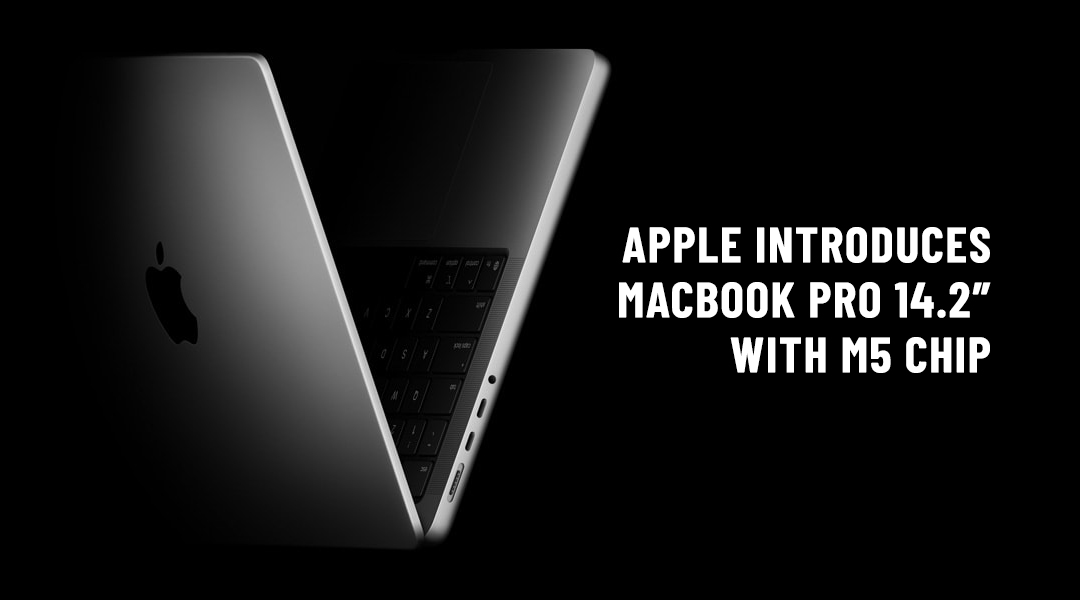
Apple’s operating system continues to lead in creative industries and professional environments where seamless ecosystem integration matters. The M5 chip generation introduces unprecedented performance efficiency, allowing MacBooks to maintain consistent performance whether plugged in or running on battery. With up to 128GB of unified memory and silent operation even under heavy loads, macOS remains the choice for professionals in video editing, software development, and design work. The macOS ecosystem offers unmatched integration with iPhones and iPads, making it ideal for users already invested in Apple’s platform.
Do You Need a 2-in-1 Laptop?
What is a 2-in-1 laptop?
A 2-in-1 laptop is a hybrid device that can function as both a laptop and a tablet.
Many PC laptops fall into the category of 2-in-1 laptops, hybrid devices that can switch between traditional clamshell mode, tablet mode, and other positions in between such as tent or stand modes. In 2026, 2-in-1 devices have become more sophisticated with AI-powered features like presence detection that automatically adjusts screen settings based on your usage.
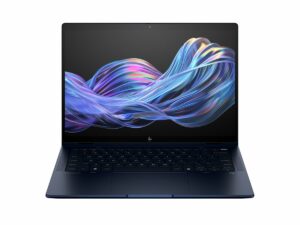
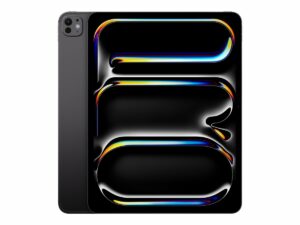
2-in-1’s generally come in two different styles: detachables with screens that come off the keyboard entirely (like the iPad Pro with Magic Keyboard) and flexible laptops with 360-degree hinges that bend back to change modes (like the HP EliteBook X Flip or Lenovo ThinkPad X1 Yoga). These devices are perfect for professionals who need the versatility of a tablet for presentations or note-taking, combined with the productivity of a full laptop for serious work.
What laptop size fits your work style?
How does size affect portability and usability?
Laptop size directly impacts weight, screen comfort, and mobility.
Before you look at specs or pricing, you need to figure out just how portable you need your laptop to be. Laptops are usually categorized by their display sizes:
- 13 to 14 inches display: Provides the best balance of portability and usability, particularly if you get a laptop that weighs under 1.5 kg (3.3 pounds). These are ideal for frequent travellers and mobile professionals who need a device they can carry all day without fatigue.
- 15 to 16 inches display: The most versatile size, 15 to 16-inch laptops typically weigh between 1.8 to 2.5 kg (4 to 5.5 pounds). Consider this size if you want a larger, more comfortable screen for extended work sessions while still maintaining reasonable portability. This size is popular for professionals who split time between office and remote work.
- Tablets with keyboards (11 to 13 inches): The ultimate in portability, professional tablets like the iPad Pro with Magic Keyboard offer genuine laptop replacement capabilities for users who prioritize mobility. These are perfect for executives, consultants, and mobile workers who need to stay productive on planes, in client meetings, or while working from various locations.
Why do keyboard and touchpad quality matter?
What makes a good keyboard and touchpad?
Keyboard quality is defined by key travel, spacing, and tactile feedback.
Touchpad accuracy is consistent cursor control and reliable gesture recognition.
If you plan to do a lot of work on your computer, make sure the keyboard offers solid tactile feedback, plenty of key travel (the distance the key goes down when pressed, usually 1 to 2mm), and enough space between the keys. Business laptops like the Lenovo ThinkPad X1 Carbon are renowned for offering the best typing experience in the industry, a crucial consideration if you spend hours each day writing emails, reports, or code. For our Belgian clients, we provide laptops configured with AZERTY keyboards as standard, ensuring you have the familiar layout that maximizes your productivity from day one.
Look for an accurate touchpad that doesn’t give you a jumpy cursor and responds consistently to multitouch gestures such as pinch-to-zoom. If you’re buying a business laptop, consider getting one with a pointing stick (TrackPoint) between the G and H keys, so you can navigate around the desktop without lifting your fingers off the keyboard’s home row. For Windows laptops, ensure it has Precision touchpad drivers for the most reliable experience.
What specifications matter most when choosing the best laptops in 2026?
Notebook components such as processors, storage drives, RAM, and graphics chips can confuse even tech-savvy buyers, so don’t feel overwhelmed if specifications seem complex. Therefore, advice from an IT hardware and software specialist can help you stay on the right track if you want to get the most out of your equipment. Here are the key specifications to understand:
- CPU (Processor): The “brains” of your computer, the processor has a huge influence on performance. In 2026, look for laptops with dedicated AI accelerators (often called Neural Processing Units or NPUs) if you plan to use AI-powered applications, video conferencing, or creative tools. Intel Core Ultra processors and Apple’s M5 chip family represent the cutting edge, offering both powerful performance and exceptional battery efficiency.
- RAM (Memory): For professional use in 2026, 16GB should be considered the minimum for most users. If you work with data analysis, virtual machines, or creative applications, consider 32GB or more. Power users working with 8K video, large datasets, or complex 3D rendering should opt for 64GB or even 128GB if available.
- Storage Drive: Only consider laptops with solid state drives (SSDs) in 2026, as traditional hard drives are obsolete for primary storage. Among SSDs, PCIe 4.0 and the newer PCIe 5.0 drives offer exceptional speed. For most business users, 512GB is adequate, but 1TB provides comfortable headroom for those who store large files or media libraries.
- Display: Resolution matters for productivity and eye comfort. Full HD (1920 x 1080) remains the baseline, but many professionals prefer higher resolutions like 2560 x 1600 or even 4K (3840 x 2160) for sharper text and images. However, higher resolutions consume more power. Consider brightness (400 units or higher for outdoor use) and colour accuracy if you work with visual content.
- Battery Life: One of the most critical factors for mobile workers. In 2026, expect 12-18 hours of real-world battery life from efficient models like the MacBook Air or HP EliteBook X Flip. Look for laptops that can maintain performance when running on battery, not just when plugged in.
- Connectivity: Modern business laptops should include Wi-Fi 6 or Wi-Fi 6E for fast, reliable wireless connections. Bluetooth 5.2 or newer ensures compatibility with wireless peripherals. Consider whether you need traditional ports like USB-A, HDMI, or RJ45 Ethernet, or if you’re comfortable with USB-C/Thunderbolt 4 and adapters. Some business models still include Ethernet ports for secure, stable connections in office environments.
How should your budget guide laptop choice?
Here’s what you can get for the most common budget ranges for best laptops in 2026:
- 800 to 1,400 EUR: The sweet spot for business laptops. This range includes capable systems with current-generation processors, 16GB RAM, 512GB SSDs, and solid build quality. Expect features like fingerprint readers, webcam privacy shutters, and decent battery life. This is the ideal range for most professional users who need reliable, capable machines.
- 1,400 to 2,200 EUR: Premium business laptops with superior build quality, enhanced features, and better performance. This range includes devices like the HP EliteBook X series, MacBook Air M5, and ThinkPad L16. You’ll get exceptional battery life, premium materials, better displays, and often AI-enhanced features that boost productivity.
- 2,000 to 3,500 EUR: Professional workstations and high-end MacBook Pros. These machines offer powerful processors (often with discrete graphics), maximum RAM configurations, exceptional displays, and the performance needed for demanding tasks like 3D rendering, video editing, AI development, or complex data analysis. Perfect for creative professionals, engineers, and power users who need no compromises.
- Above 3,500 EUR: Specialized mobile workstations with desktop-class performance. These include top-tier configurations of devices like the HP ZBook series or maxed-out MacBook Pro 16″ models. Only necessary for the most demanding professional workflows involving large-scale 3D rendering, AI model training, or working with massive datasets.
What are the Best Laptops in 2026
The “Golden Standard” – Premium Business Laptops
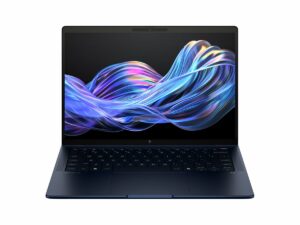
The HP EliteBook X G1 (14-inch) is a premium, AI-focused business laptop featuring a lightweight magnesium design, exceptionally long battery life, and robust security, powered by Intel Core Ultra 7 processors.
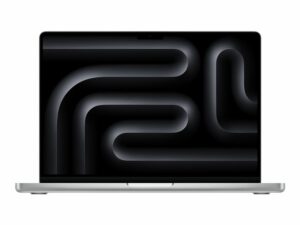
Performance that stays consistent whether plugged in or on a plane. The M5 chip introduces a dedicated AI Neural Accelerator that makes it significantly faster for video conferencing and background tasks than the M4. It’s the prestige choice for the modern executive who values both power and portability in a premium package.
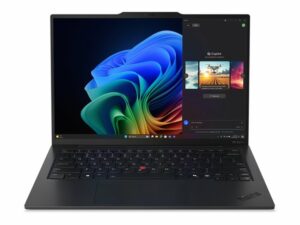
The legendary business laptop, refined with “Smart” features. The Aura Edition includes “Smart Care” for instant IT troubleshooting and “Smart Share” for seamless file transfers with mobile devices. It remains the best typing experience in the business world, making it ideal for professionals who spend significant time writing.
Versatile & Mobile (2-in-1 / Tablets)
The premium 360-degree convertible for 2026. Integrated AI Presence Detection automatically dims the screen when you look away, preserving battery for up to 28 hours. Perfect for professionals who need flexibility to switch between laptop and tablet modes throughout their workday.
The ultimate “Tablet-First” workstation. For the mobile professional who prioritizes portability over legacy ports, the M5 iPad Pro is a legitimate laptop replacement, especially with the 2026 updates to multitasking. Ideal for executives and creatives who work across Apple’s ecosystem.
Powerhouse & Creative (Workstations)
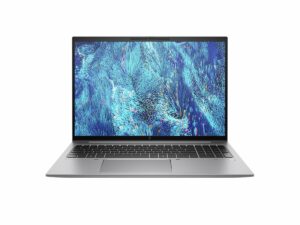
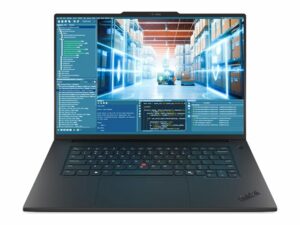
A workstation that doesn’t feel like a brick. Ideal for engineers and data analysts, it combines AI-ready processors with entry-level discrete graphics, certified for professional software like AutoCAD and Adobe Creative Suite. The perfect choice for professionals who need workstation power without sacrificing portability.
The undisputed king of creative performance. With up to 128GB of unified memory, this machine can handle massive datasets and 8K video editing with zero fan noise. For creative professionals who demand the absolute best performance in a portable form factor, this is the benchmark.
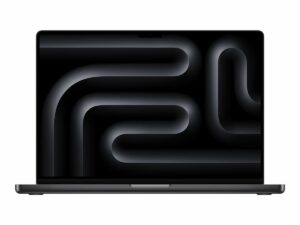
Raw power in a slim 16-inch chassis. It bridges the gap between a laptop and a desktop. With the latest NVIDIA RTX 50-series (Blackwell) mobile GPUs, it’s the best choice for on-device AI development, 3D rendering, and complex engineering simulations that can’t wait for cloud processing.
Value & Scalability (Fleet Deployment)
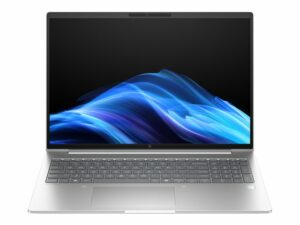
The high-volume fleet choice for modern enterprises. This is the successor to the classic 600-series, maintaining what IT managers love: an integrated RJ45 (Ethernet) port, user-upgradeable RAM, and a competitive price point for large-scale deployments. Its durable, easy-to-service design makes it the lowest Total Cost of Ownership (TCO) option in the HP lineup, perfect for equipping entire departments.
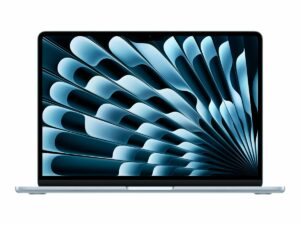
The best value-for-money laptop for general office staff. It’s silent, holds its resale value better than any PC, and easily lasts two full workdays on a single charge. For organizations with mixed Windows and Mac environments, or for roles that don’t require specialized Windows applications, the MacBook Air offers exceptional reliability and longevity.
How Can ITAF Help You Searching for Best Laptops in 2026?
Choosing the right laptop for your organization isn’t just about specs and features. It’s about understanding your workflow, considering total cost of ownership, planning for future needs, and ensuring compatibility with your existing IT infrastructure. Whether you’re buying a fleet of laptops for your employees or looking for a single productivity system for yourself, you need a business laptop that’s durable, powerful, secure, and easy to manage.
Let ITAF hardware and software specialists help you pick the right configuration for your laptop needs. Our team stays current with the latest technology trends and can guide you through the decision-making process, from selecting the right model to configuring security features and planning deployment.
FAQ
What is the most important factor when buying a laptop in 2026?
Matching the device to your workload and usage pattern.
Is Windows 10 still a valid option?
No. Windows 10 support ended in October 2025.
Is a 2-in-1 laptop always better?
No. It is useful only if tablet functionality is part of your workflow.
How much RAM is recommended for professional use?
16GB is the practical minimum in 2026.
Should price or longevity matter more?
Longevity and suitability matter more than the lowest upfront price.