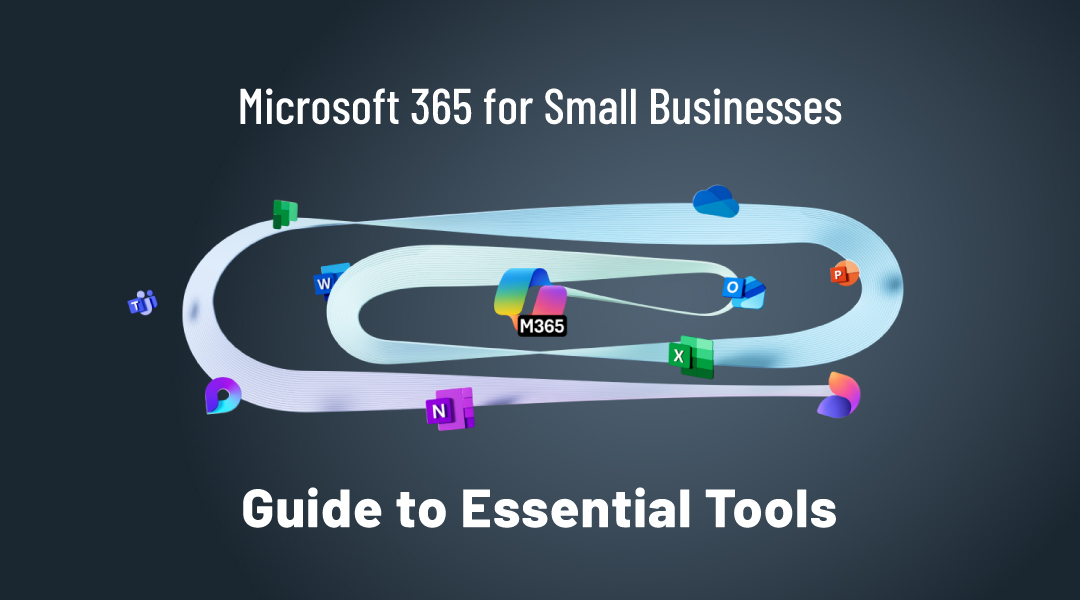
Microsoft 365 for small businesses is a cloud-based suite of productivity, collaboration, and security tools designed to support daily business operations. It is used to manage email, files, communication, and user access from a central platform, without maintaining local servers.
Microsoft 365 helps small businesses work securely, collaborate efficiently, and access business data from any location.
This guide will walk you through what Microsoft 365 is, its benefits, and how to get started with the right plan and setup.
What is Microsoft 365?
Microsoft 365 is a subscription-based platform that combines productivity applications, cloud services, and basic security features.
Microsoft 365 is used when organisations want standardised tools for email, document creation, file storage, and collaboration.
Which Microsoft 365 tools might you need for your small business?
Microsoft 365 is a subscription-based service that includes a collection of productivity tools such as Outlook, Word, Excel, Teams, and SharePoint. It is designed to support businesses with communication, collaboration, and security features. Let’s break down which basic business necessities you can cover with that.
Professional Email & Communication
Each small business strives for growth. And in order to grow big, you have to act big. Email communication must be professional and secure. Processes must be well-planned and documented. And also, each business and customer contact are worth its weight in gold. That’s where Microsoft Outlook comes into the picture, providing business-grade email, calendar management, and contacts.
Microsoft Outlook is much more than just an email client. It’s a tool designed to help small businesses stay organized and connected. With Outlook, you can manage your inbox with features like focused inbox and quick filters, ensuring you never miss important messages. Its calendar and scheduling tools allow you to easily plan meetings and set reminders, while its contact management features help you build a well-organized network of clients and partners.
Moreover, the integration with other Microsoft 365 tools makes it easy to collaborate, share documents, and access files, all within a secure environment.
Collaboration Tools
Collaboration tools are essential, whether you have multiple employees or you’re running a one-person operation—especially when it comes to reliable external communication. Microsoft Teams covers all your needs for collaboration and daily communication. From audio and video calls to instant messaging and file sharing, it enables seamless teamwork.
Cloud storage
For small businesses, managing and securing files can be a challenge, especially when you need easy access and reliable backup. As your business grows, the need for a secure, organized, and easily accessible file storage system becomes even more important. That’s where SharePoint comes in.
SharePoint helps store, share, and back up your business files securely. It allows you to organize documents, collaborate seamlessly with your team, and access your files from anywhere—all while ensuring that your data is safe and protected with advanced security features.
At ITAF, we provide a private cloud environment for organizations, ensuring that your SharePoint files are not only secure but also regularly backed up, monitored, and maintained for optimal performance. You can focus on running your business, knowing that your data is in safe hands.
Document creation and data management
As a small business owner, efficiency and professionalism in document creation and data management are essential for clear communication, informed decision-making, and a professional image. Whether you’re drafting contracts, writing reports, or managing budgets, you need tools that help you work quickly and effectively. That’s where Microsoft Word and Excel come in.
Microsoft Word gives you all the tools you need for creating professional documents, from proposals to newsletters.
Excel helps you organize, analyze, and visualize data—perfect for managing finances, creating spreadsheets, and tracking business performance.
How does Microsoft 365 support remote and hybrid work?
Why is location-independent access important?
Employees increasingly work from different locations.
Remote access is the ability to reach business systems securely from outside the office.
Microsoft 365 allows users to sign in and work from any internet-connected device.
How is security handled in Microsoft 365?
What basic security features are available?
Microsoft 365 includes identity-based access controls and basic security protections.
Identity management is the process of controlling who can access systems and data.
Access is linked to user accounts rather than physical locations.
Practical IT example
A small business with 15 employees uses Microsoft 365 for email, shared file storage, and online meetings. Employees work partly from home and partly from the office. Documents are stored centrally, meetings are held online, and access is managed per user. When an employee leaves the company, access can be removed immediately without touching individual devices.
This example shows how Microsoft 365 supports daily operations with central management.
When is Microsoft 365 a good fit for small businesses?
What type of organisation benefits most?
Microsoft 365 is suitable for small businesses that want predictable costs, centralised management, and flexible working.
Subscription software is software provided through recurring licensing instead of one-time purchases.
Microsoft 365 Plans
Microsoft 365 offers different plans for businesses. Selecting the right plan depends on your company size, budget, and specific needs. Below is a breakdown of the most popular options for businesses M365 Business Standard vs M365 Business Premium:
Microsoft 365 Business Standard: Best for businesses that require full desktop versions of Office apps (Word, Excel, Outlook, PowerPoint), plus Teams, and SharePoint.
Microsoft 365 Business Premium: Provides all features of Business Standard, plus advanced security, device management, and cyber threat protection.
FAQ
What is Microsoft 365 for small businesses?
It is a cloud-based platform for email, files, collaboration, and basic security.
Do small businesses need local servers with Microsoft 365?
No. Core services run in the cloud.
Can employees work remotely with Microsoft 365?
Yes. Users can access tools from any location with internet access.
Is Microsoft 365 difficult to manage?
No. User access and services are managed centrally.
Does Microsoft 365 replace multiple separate tools?
Yes. It combines email, file storage, and collaboration in one platform.
How can ITAF help
Setting up and managing Microsoft 365 can be overwhelming, especially for small businesses without dedicated IT resources. That’s where ITAF comes in. As an experienced IT partner, we provide:
- Microsoft 365 Deployment & Setup: We handle everything from licensing to configuration, ensuring a smooth transition.
- Security & Compliance Management: Protect your business with advanced security settings and MFA implementation.
- User Training & Support: We help your team get the most out of Microsoft 365 with expert training and ongoing support.
- Data Backup & Recovery: Ensure business continuity with reliable backup solutions for Microsoft 365 files and emails.
Contact us today to get started!